Short answer
The best color E-Ink photo frame in 2026 depends less on the panel and more on the frame design, rendering software, battery plan, and content app. Aura Ink is the safest photo-first choice for families. PocketBook InkPoster has the widest large-format range. BLOOMIN8 and InkJoy are pushing AI-art workflows and lower entry prices. Samsung EMDX is built for commercial signage. einksmart MagiRealm focuses on real-wood framing, curated artwork, and managed content for homes, hotels, galleries, and retail spaces.
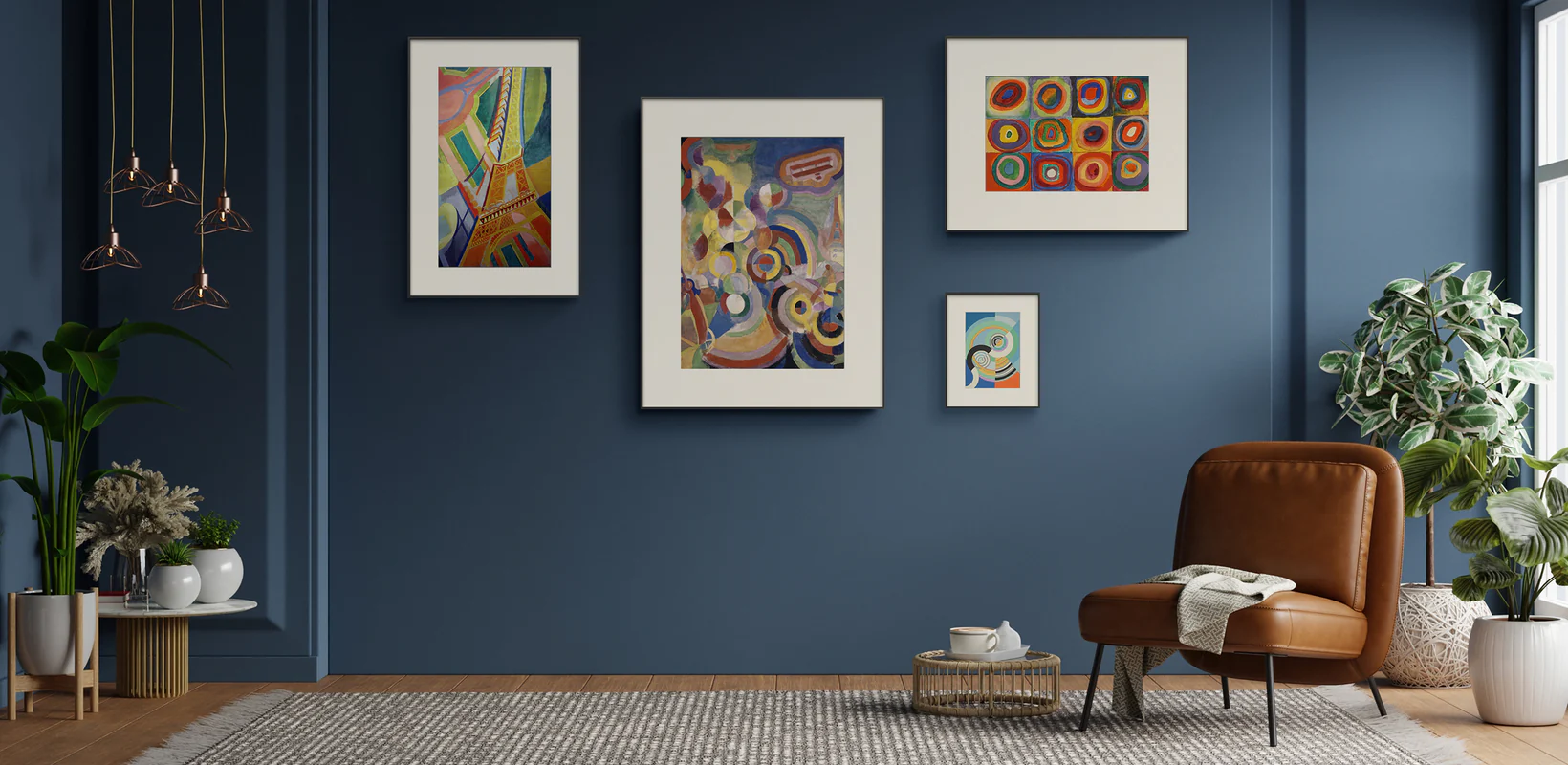
How we judged the frames
We build color E-Ink frames ourselves, so this guide uses a simple rule: judge the product the way a buyer will live with it. Spec sheets matter, but the everyday experience comes from the whole system. A good frame needs a convincing physical frame, a tuned rendering pipeline, a reliable app, a battery strategy that matches the update schedule, and clear content rights.
For every product category below, we looked at five buyer questions:
- Panel and rendering. Does the frame use a current color ePaper platform such as Spectra 6, and does the software map photos cleanly to the limited pigment palette?
- Physical presentation. Does it look like a framed object in a room, or does it still read as a gadget with a bezel?
- Battery and charging. Are the battery claims tied to a stated refresh schedule, such as one image change per day?
- Content ecosystem. Can the owner upload photos, schedule art, invite family, use curated collections, or manage multiple frames without friction?
- Price per use case. Is the frame priced for desks, gallery walls, premium homes, or commercial deployments?
2026 color E-Ink photo frames: comparison table
| Frame | Sizes | Price signal | Best fit | Watch out for |
|---|---|---|---|---|
| Aura Ink | 13.3 inch | Premium consumer | Family photos, polished sharing, simple app experience | Photo-first product, limited size range, refresh limits |
| PocketBook InkPoster | 13.3 / 28.5 / 31.5 inch | Premium to large-format | Poster-scale ePaper, statement walls, large framed art | Large formats carry large-format pricing |
| BLOOMIN8 EinkCanvas | 13.3 / 28.5 inch, smaller formats emerging | Aggressive entry pricing | AI art, experimental buyers, value-seeking early adopters | Young ecosystem and evolving software |
| InkJoy | 13.3 inch | Crowdfunding / launch pricing | Rendering-first buyers who like AI image preparation | Crowdfunding timelines and support maturity |
| einksmart MagiRealm | 7.3 / 13.3 inch roadmap | Project and partner pricing | Real-wood frames, curated art, hospitality and gallery content programs | Smaller finished-size range today |
| Samsung EMDX | 13 / 32 inch | B2B signage pricing | Business walls, fleet management, retail or office signage | Commercial signage platform, not a family photo frame |
Sources checked for product positioning and public claims include Aura, PocketBook InkPoster, BLOOMIN8, Samsung EMDX, E Ink Spectra 6 material, and public campaign pages. Confirm live prices before purchase because this category is moving quickly.
The frames, one by one
Aura Ink: best app experience for family photos
If the frame will mostly show family photos, Aura Ink is the easiest recommendation. Aura has years of digital photo-frame experience, and that shows in photo sharing, household invitations, upload flow, and the general calmness of the app. The product is aimed at people who want a framed memory stream without managing files or thinking about color science.
The trade-off is focus. Aura Ink is not trying to be a commercial art wall, a poster-size display, or an open-ended content platform. It is a polished consumer photo frame. That is exactly right for many homes, and less right if you want a managed art program or a multi-frame business deployment.
PocketBook InkPoster: best size range
InkPoster is the strongest choice when size matters. The wide lineup reaches beyond the common 13.3-inch class into poster-like formats. That makes it attractive for living rooms, hotels, offices, and collectors who want one large digital print rather than several small frames.
The buying question is not whether the product is interesting; it is whether large-format ePaper is worth the premium for your room. If the frame will be the centerpiece of a wall, larger InkPoster formats can make sense. If you are filling a small gallery wall, a 13.3-inch product may be the better value.
BLOOMIN8 and InkJoy: the AI-art challengers
BLOOMIN8 and InkJoy represent the software-led side of the category. Their pitches are less about replacing a family photo frame and more about turning the wall into a stream of generated or processed artwork. That can be exciting for people who want fresh visuals, mood-based art, and lower-cost entry points.
The risk is maturity. Newer hardware brands may still be refining app reliability, fulfillment, rendering, and support. If you buy through crowdfunding or early launch pricing, treat timelines as estimates and look closely at warranty details.
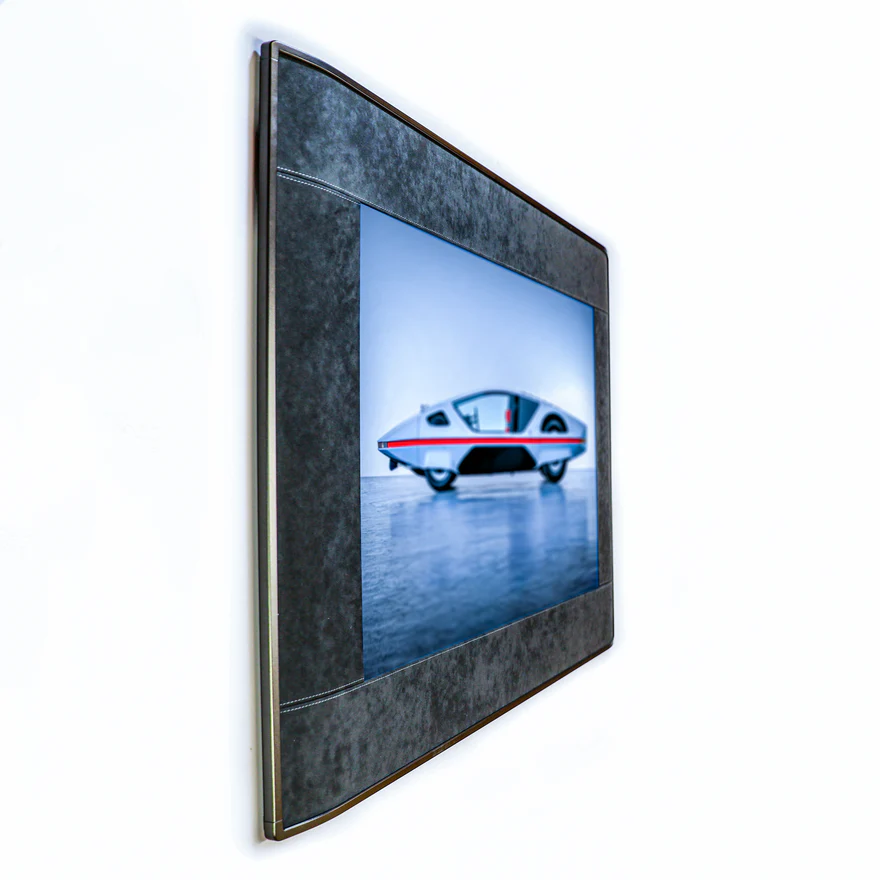
einksmart MagiRealm: best fit for framed art and managed content
MagiRealm is built for buyers who care about the wall experience as much as the screen. Our focus is real-wood framing, curated artwork, rendering tuned per image, and content workflows that can support homes, hospitality spaces, galleries, education, and retail. The product direction is not just "a screen in a frame." It is a managed content surface.
That also means MagiRealm is not always the right answer. If you want one large 30-inch poster immediately, InkPoster may fit better. If five relatives need to share family pictures every day, Aura has a very mature consumer app. If you want gallery-like hardware with a content platform behind it, that is where einksmart is designed to compete.
Samsung EMDX: the commercial option
Samsung EMDX is best understood as signage, not a household photo frame. It is designed for enterprise deployment, fleet control, business content, and low-power static displays. For offices, retail, and managed commercial walls, that can be powerful. For one home frame, it is usually more system than you need.
For a broader display-technology decision, read our guide to color E-Ink vs LCD digital signage.
Photos or art? Match the frame to what you will actually display
The first buying decision is not size. It is content. Photo-first frames optimize for faces, family sharing, upload speed, and low-friction albums. Art-first frames optimize for curation, color mapping, room fit, scheduling, and rights-managed collections.
Skin tones are hard on color ePaper because the display must map a rich source photo into a smaller set of pigments. Landscapes, flat illustration, abstract art, posters, and many paintings are more forgiving. If your frame will mostly show portraits, ask to see one of your own photos rendered on the device. If your frame will mostly show art, ask how the platform handles licensing, attribution, scheduling, and room-specific playlists.
There is no perfect frame for video memories, burst slideshows, or fast animation. That remains LCD territory. Color E-Ink is best when the content changes occasionally and then sits quietly in the room.
Five mistakes buyers make with color E-Ink frames
- Expecting LCD color. Color E-Ink looks like a printed surface, not a glowing tablet. Saturated photos will look softer.
- Buying by resolution alone. Rendering quality, dithering, and surface finish matter as much as pixel count.
- Ignoring refresh frequency. Battery life claims depend on how often the image changes and how the device wakes its wireless hardware.
- Skipping the app trial. If the software feels clumsy before the frame arrives, the hardware will not fix the workflow.
- Hanging it like a TV. E-Ink frames work best at print height in ambient light, not in a dark media corner.
What living with one is actually like
The first week feels like owning a new gadget. The second week should feel like living with a changing print. Setup normally means charging the device, connecting Wi-Fi, pairing the app, choosing orientation, and hanging the frame. The cable-free effect is the quiet advantage: once placed, the frame can sit in a room without a visible outlet.
The best schedules are intentional. A new image every few minutes makes the wall feel like a screen. A morning artwork, an evening photo, or a seasonal rotation feels more natural. For commercial spaces, the schedule can follow occupancy, events, campaigns, or local time of day.
Why Spectra 6 matters
E Ink Spectra 6 is the shared foundation for many current color ePaper products. It is reflective, print-like, and designed for high-quality still images rather than video. Because the panel is only one layer of the experience, brands compete through rendering software, frame materials, power management, content rights, and app design.
Ask suppliers to render your own content. A spec sheet can tell you size and resolution; it cannot show whether your portrait, poster, brand color, or fine-art print will look good after conversion.
Size and price guide
| Size class | Typical role | Buyer fit |
|---|---|---|
| 7.3 to 10 inch | Desk, shelf, bedside, gift frame | Small rooms, personal use, entry pricing |
| 13.3 inch | Gallery wall and most home walls | The current sweet spot for price, presence, and availability |
| 25 to 28.5 inch | Statement artwork | Premium homes, lobbies, brand walls, hospitality |
| 31.5 inch and larger | Poster-scale display | Commercial walls and large-room focal points |
Panel area drives cost. A 28.5-inch frame is not simply twice the cost of a 13.3-inch frame because the panel area, yield, shipping, enclosure, and mounting requirements all rise sharply. If unsure, start with 13.3 inches. It is large enough to read as wall art but small enough to remain practical.
Market outlook
The color ePaper category is becoming more credible because multiple brands now compete on software, sizes, and use cases. Forecasts for the broader ePaper display market vary by research publisher, but the direction is consistent: e-readers, shelf labels, signage, and connected display surfaces continue to expand.
Source context: Research and Markets / The Business Research Company, E-Paper Display Global Market Report 2026. Forecast definitions vary by publisher, so confirm the current dataset before using the figures in procurement models.
For buyers, the practical takeaway is simple. Small frames should become cheaper as panel volume rises. Large formats will likely remain premium longer because large reflective color panels are harder to manufacture and package.
The 7-point buying checklist
- Confirm the panel generation. Ask what color ePaper technology is inside, not just whether it is "color E-Ink."
- Preview your own content. Test a portrait, a dark image, a bright poster, and any brand colors you care about.
- Check the frame as furniture. Look at wood, matboard, depth, hanging, tabletop support, and service access.
- Ask for refresh math. Battery life should be tied to a refresh count or a schedule.
- Review the app before buying. Upload, crop, schedule, invite, and remove images if the app allows a trial.
- Understand subscriptions. Know what is free and what requires paid art, AI, cloud, or fleet features.
- Check support history. This matters especially for crowdfunded or very young hardware brands.

FAQ
Which color E-Ink photo frame has the best image quality?
Most premium products share similar panel constraints, so rendering software decides. Preview your own image on the device whenever possible.
How much does a color E-Ink picture frame cost in 2026?
Many 13.3-inch products sit around $399 to $599. Larger formats and commercial systems cost significantly more.
Do color E-Ink frames need a subscription?
Some do, especially for art libraries, AI generation, scheduling, cloud storage, or fleet management. Basic personal-photo use may be free on some products.
Are Kickstarter E-Ink frames safe to buy?
They can be, but treat shipping dates as estimates. Look for prior hardware delivery, warranty clarity, and realistic production updates.
What is E Ink Spectra 6?
It is a color ePaper platform for reflective, print-like still images. It is suited to artwork, photos, posters, and low-frequency signage.
Which size should I buy?
Choose 7.3 to 10 inches for desks, 13.3 inches for most walls, and 25 inches or larger for statement art or commercial spaces.